


StarTrader(スタートレーダー)の新規口座開設手順について、
We will explain it with diagrams and smartphone images so that anyone can easily understand it
結論から言うと、StarTrader(スタートレーダー)は、
You can easily open an account and set up cashback in just two steps
- Step1:StarTraderのアカウント作成
- Step 2: Apply for FX account registration from your MoneyCharger My Page
Contents
Step1:StarTraderのアカウント作成
①StarTraderのアカウント開設ページへ移動
まずは、下記のリンクからStarTrader(スタートレーダー)のアカウント開設ページに遷移します。
https://www.startraderjp.com/live-account/?affid=1082626
*Please note that if you register through any link other than this one, you will not be able to receive cashback from Money Charger (Moneycha)
What is cashback with MoneyChat?
② Entering registration information
表示されたページの右上の「English」をクリックして、言語を日本語へ変更します。

日本語へ変更が完了しましたら登録情報を入力します。
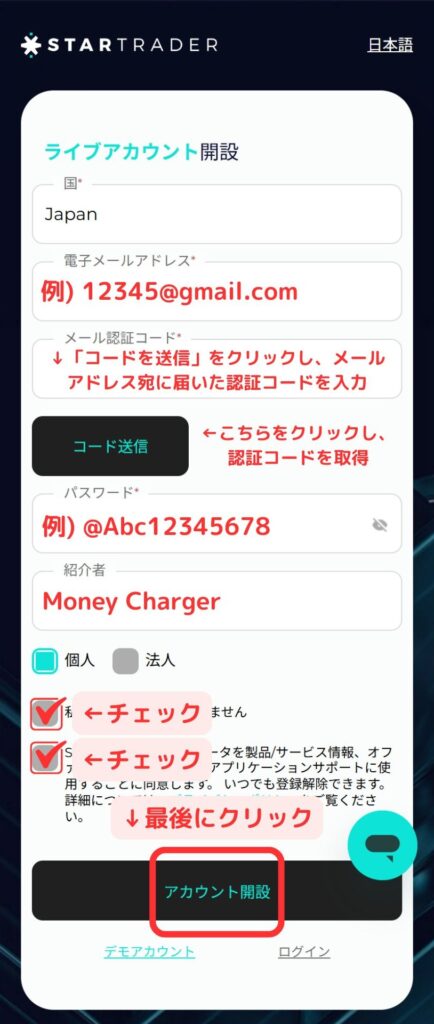
※メールアドレスを入力後、「コード送信」をクリックすることでメールアドレス宛てに「メール認証コード」が届きます。
③ Next, enter your personal information
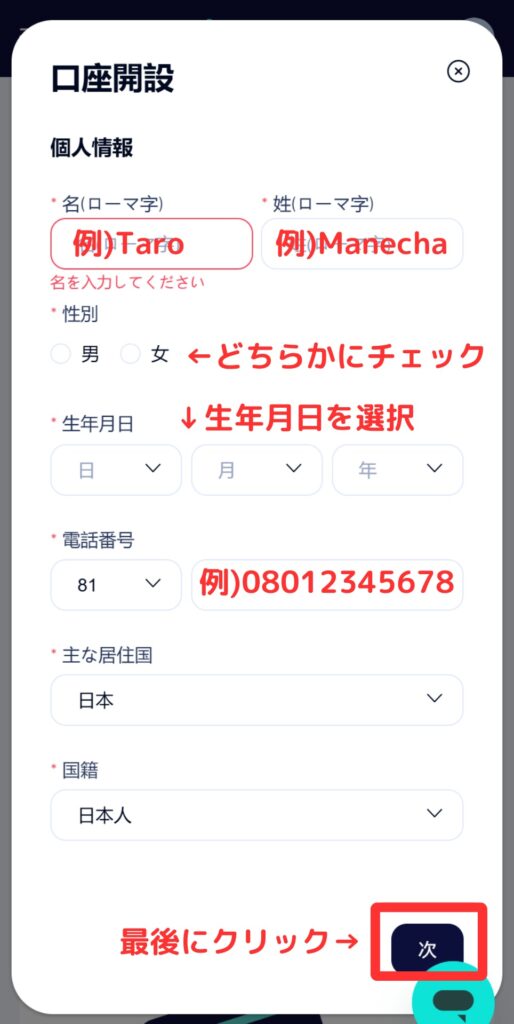
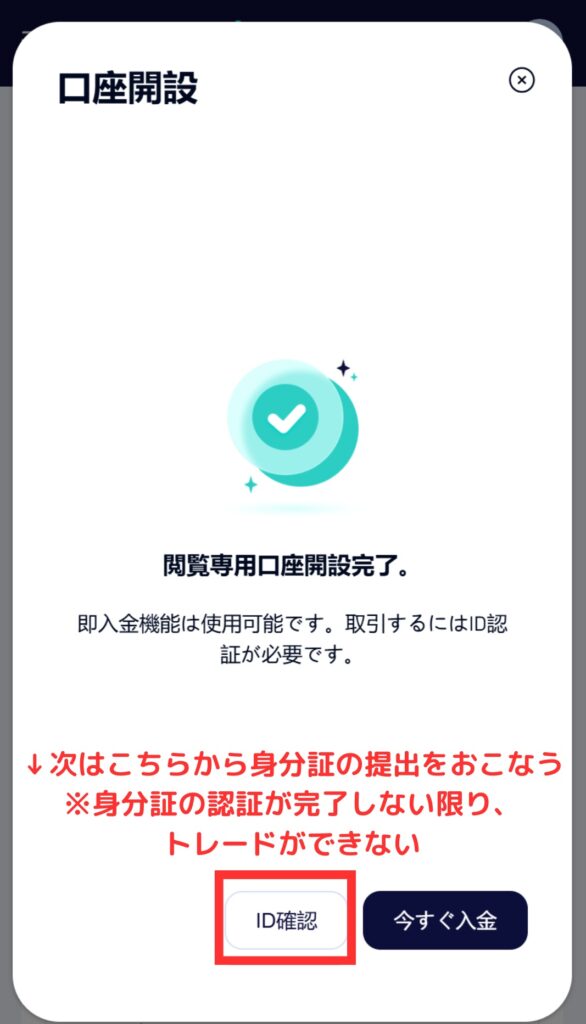
④ID確認へ進む
現時点では閲覧専用口座しか使用できませんので、「ID確認」をクリックして身分証を提出します。
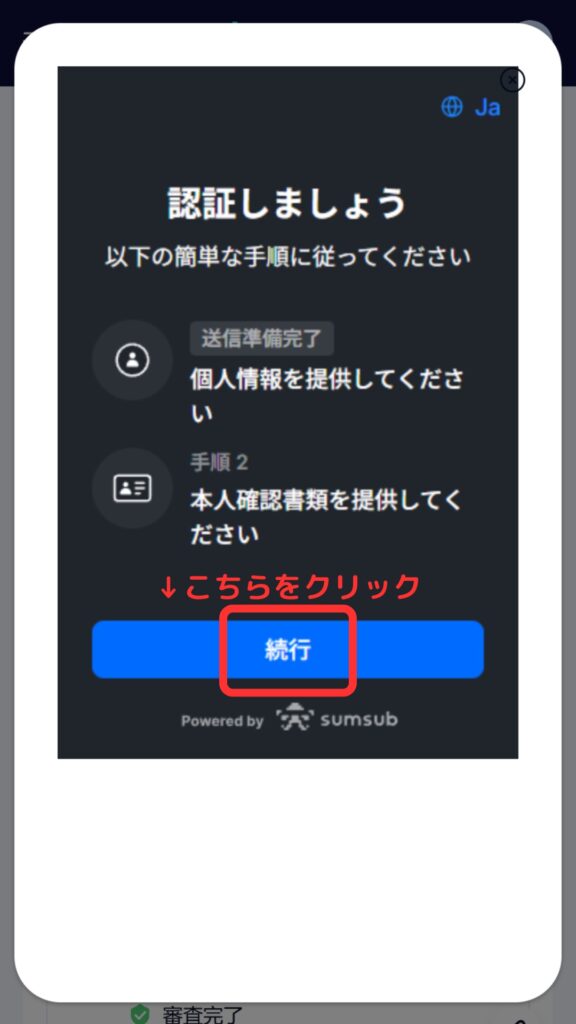
⑤「続行」をクリック
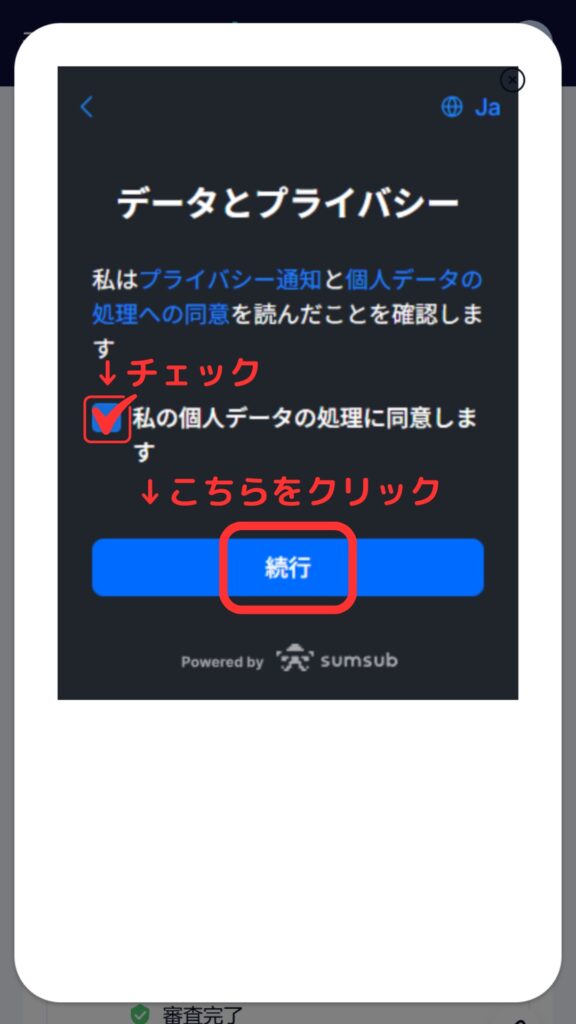
⑥チェックを入れ、「続行」をクリック
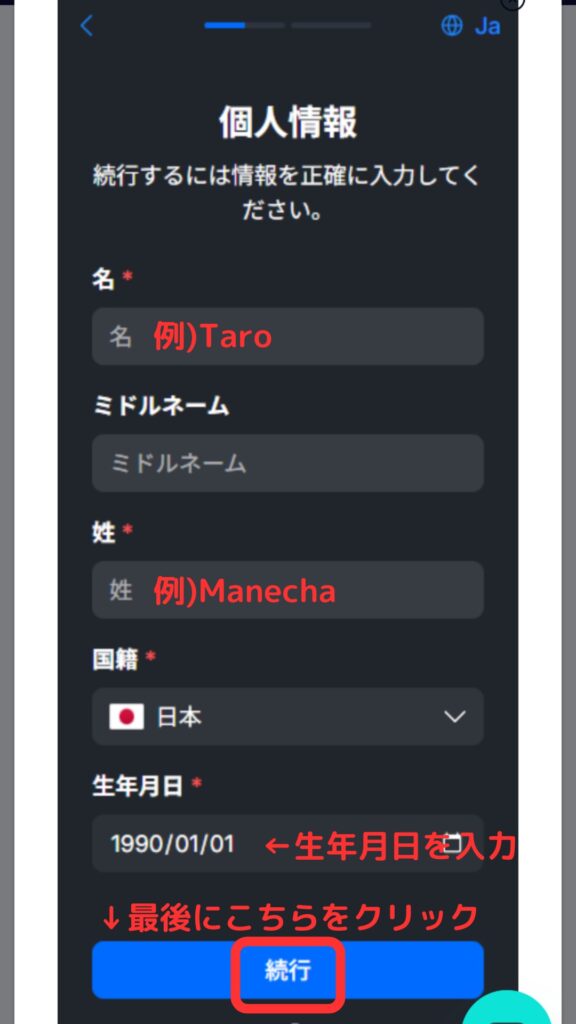
⑦再度個人情報を入力する
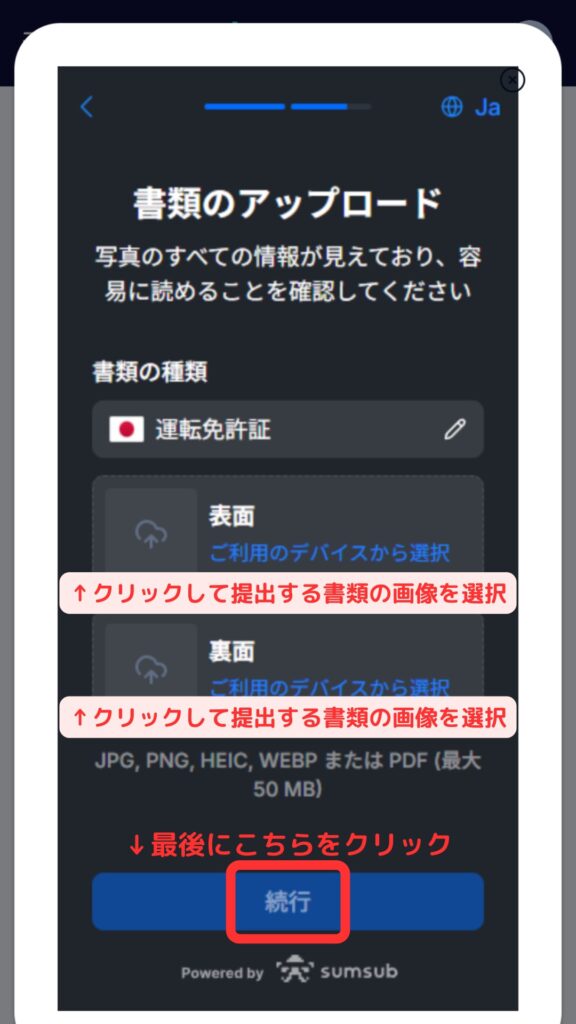
⑧ Upload your identity verification documents
I will upload my identification documents
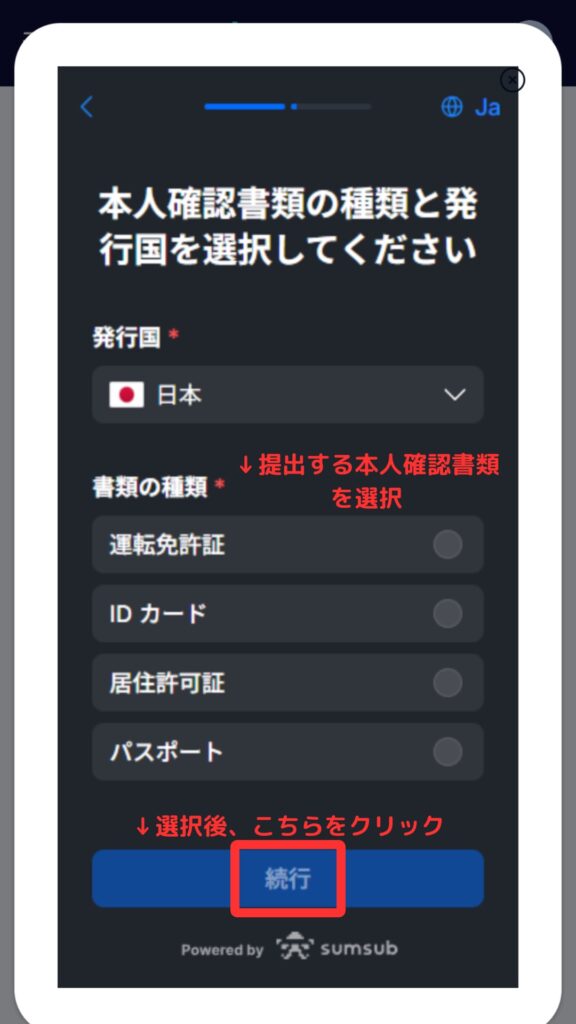
提出できる本人確認書類は以下の4点から選べます。
- 運転免許証メールアドレス
- ID card
- Residence permit
- passport
⑨書類を提出したら「続行」をクリック
Thank you for your time. Your account opening process is now complete
StarTraderにて提出した書類の確認が完了しましたら、登録メールアドレス宛にStar Traderからメールが2通届いています。
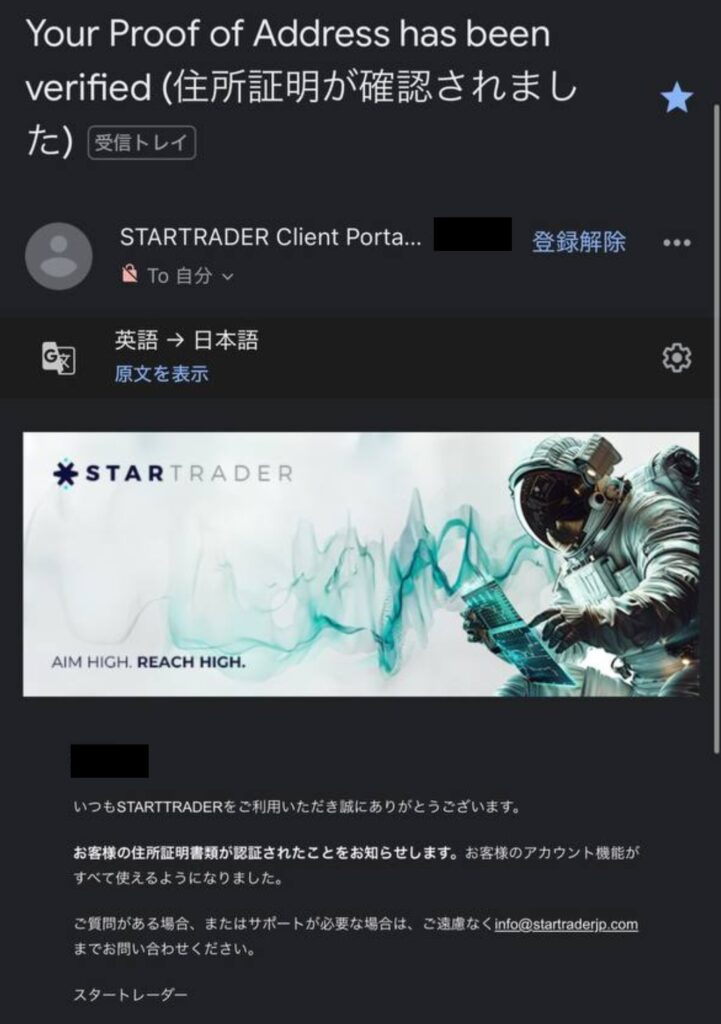
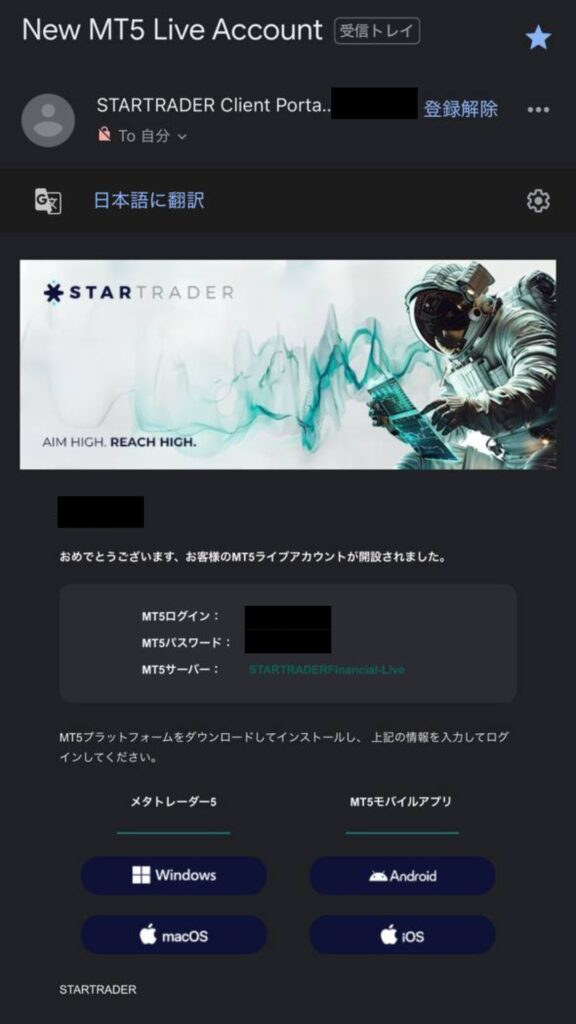
こちらのメールは取引サーバーへのアカウント情報が記載されているので、保管するかメモしておきましょう。
Step 2: Apply for FX account registration from your MoneyCharger My Page
Next, you will apply to register for an FX account from your MoneyCharger My Page
① Go to the MoneyCharger My Page login screen from the link below
The login page for MoneyCharger is here

② Click the three lines in the upper left corner

③ Click "Register Account"

④ Enter the required information

Thank you for your hard work. Your application is now complete
If there are no problems with your application within one business day of submission, the status at the bottom of "Account Registration" will change to "Approved"

You can now receive cashback with MoneyCharger
In conclusion
以上がStarTrader(スタートレーダー)の新規口座開設手順のスマホ画像付きの図解解説になります。
Next, let's check the withdrawal procedure on your Money Charger My Page


